
For roofing contractors

FORGED FOR THE FIELD.

  • Bids typed up at midnight.
  • Crew hours sent by text.
  • The photo nobody can find when the customer calls.

The Forge takes the everyday mess off your plate, from the first roof walk to the paid invoice, in one place your office and your crew both use. Get your nights back.

01Bids eat your evenings

Still building quotes after everyone went home?

Claim your nights back. Every dollar on the job gets costed for you, and the quote is ready to send.

  • No hand typing. No copying from a spreadsheet into Word into a time app.
  • Walk the roof, pick the system, and the materials, labour and extras are priced with your own supplier prices.
  • The proposal comes pre-built: cover, scope, investment, terms, warranty and acceptance pages in your brand, filled in from the estimate, options and add-ons included.
  • Something keeping you up? Send it from your phone in minutes, then go to bed.
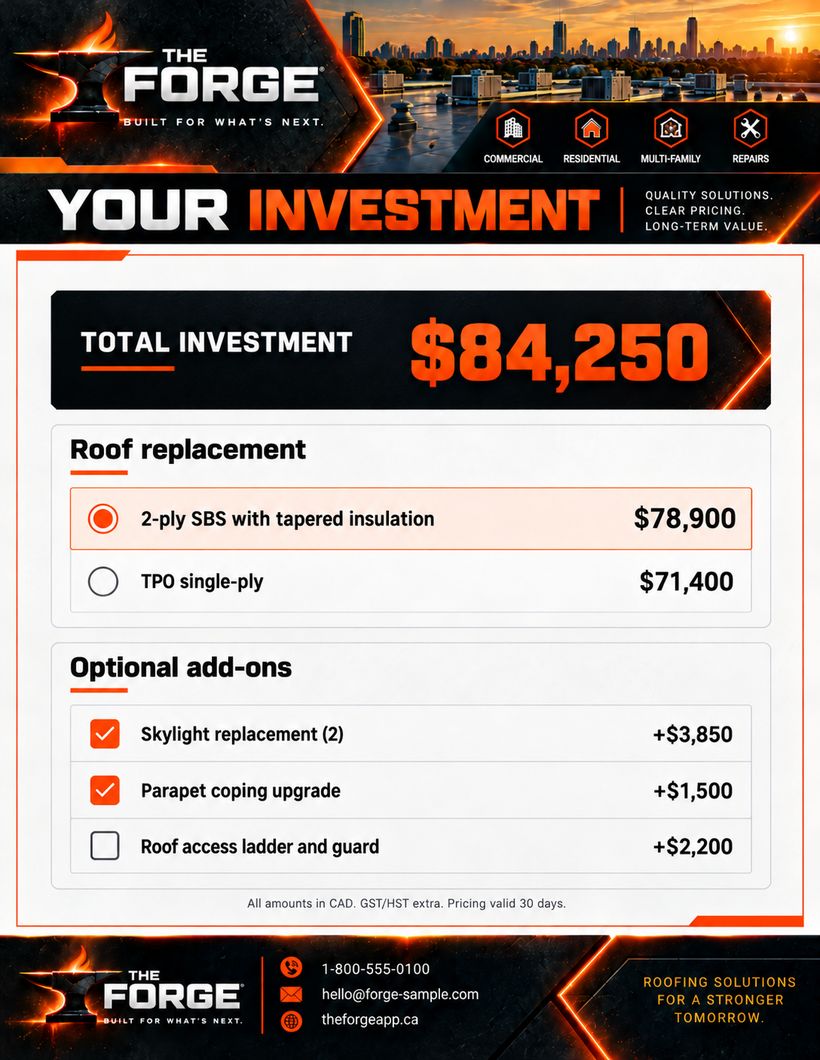
A finished proposal price page with options (sample company template)
Quote sent 11:52 PM · in bed by midnight

02Profit leaks between bid and job

You won the job. Did you win the margin?

Keep the number you sold connected to the work you actually run.

  • What you sold, approved changes, and what the job has cost so far, on one screen.
  • Labour from the same clock the crew punched, not a guess.
  • Your costs and margin never reach the customer.
Sample job · re-roofWeek 2 of 3
Sold$78,900
Approved changes+$5,350
Margin, so farOn track
Job cost to date62% of budget
Work complete68%

✓ Costs are tracking behind the work. You’ll know mid-job, not at tax time.

03The job lives in texts

Where’s that photo? Who has the measurement?

One job record the office and the field both work from.

  • Photos, schedule, crew, documents and money in one place.
  • The crew sees what they need. Prices stay in the office.
  • English, Spanish or French, for each person.

Sample Commercial Building
Full re-roof

In progress
Photos · 48
ScheduleDay 6 of 9
Crew today4 on site
Documents12 signed
Daily log
InvoiceReady at QC
● Office● Foreman● Crew phones● Your sub

04Signatures stall jobs

Good jobs sitting on someone’s kitchen table?

The customer opens a link, picks their options and signs on their phone.

  • You see when they opened it and which pages they read.
  • Signed means the job is real: number assigned, ready to schedule.
  • Subs and new hires sign the same way.
A proposal price page on a customer’s phone (sample company template)
SIGNEDTue · 9:42 AM
Opened 3 timesRead the price page twice
Picked: skylight add-onTotal updated for them

05Proof, months later

Can you prove what was there, and what your crew did?

The record builds itself while the work happens.

  • Every photo pinned to the job with the date, time and place.
  • Before and after, side by side, in a gallery the customer can open.
  • Ready when a warranty call or a dispute comes in.
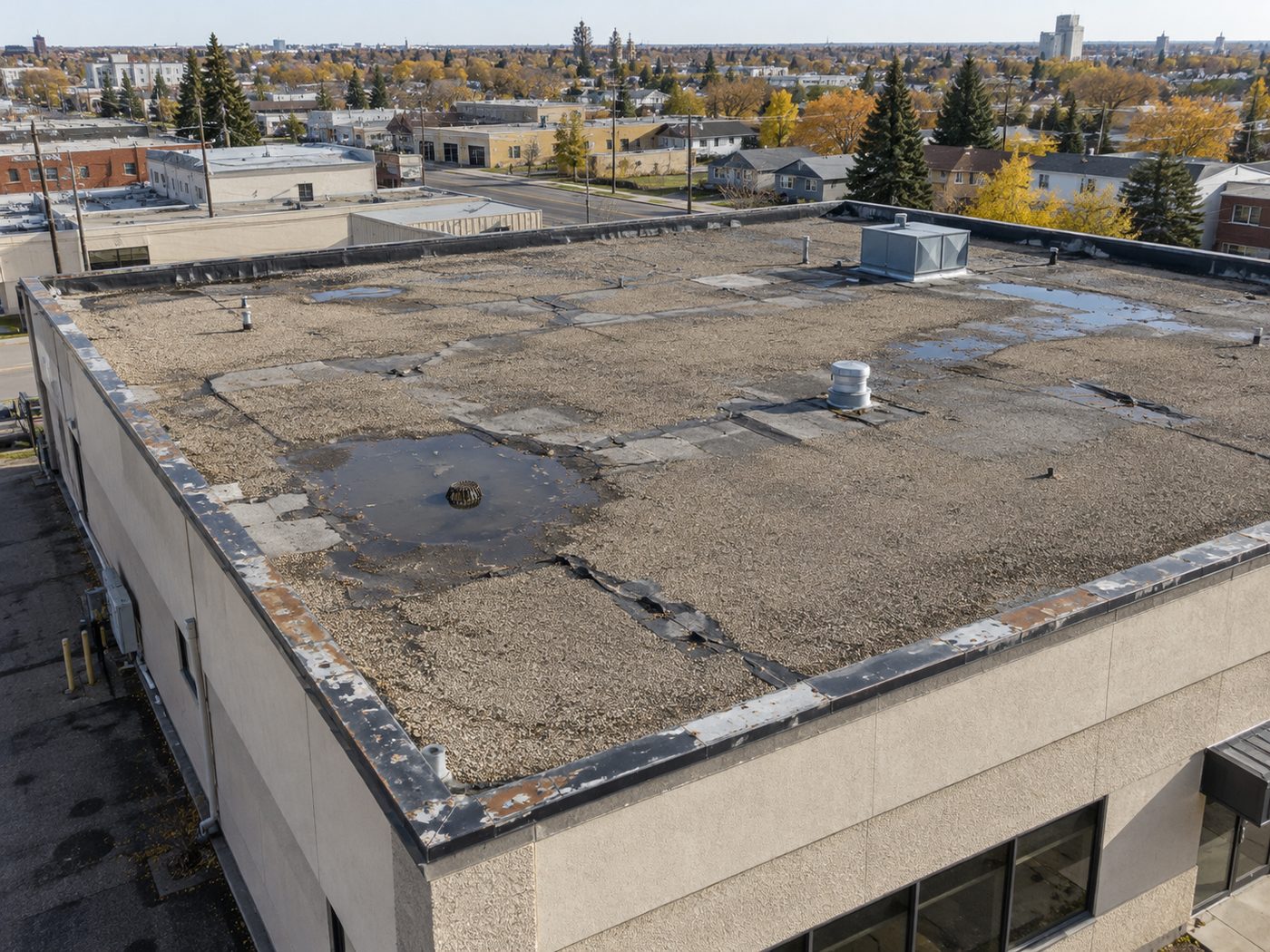
The roof before the work, from the airBEFOREDay 1 · 7:14 AM · roof walk
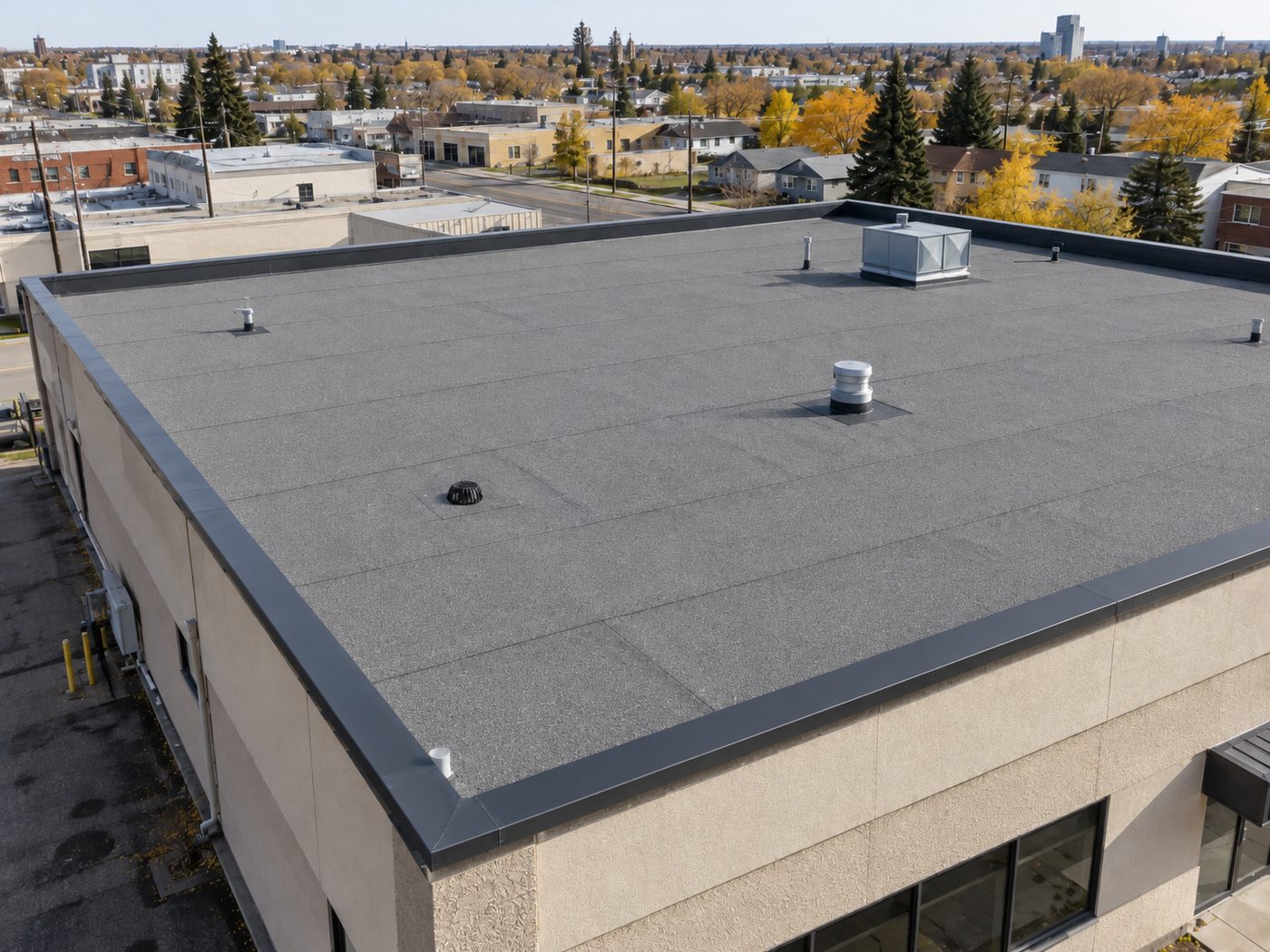
The same roof after the new membraneAFTERDay 9 · 4:52 PM · final walkthrough
Tagged by sectionDate, time and placeShared with one link

06Safety paperwork

The form only matters when somebody asks for it.

Make the paper trail part of the job, not a clean-up project.

  • Hazard assessments, hot-work permits and toolbox talks on the crew’s phones.
  • Signed, timestamped and filed against the job.
  • An inspector asks, you open it.
HA
Hazard assessmentSigned by 4 crew · 6:51 AM
Filed
HW
Hot-work permitFire watch closed out · 3:30 PM
Closed
TT
Toolbox talk: ladders5 signatures · in 3 languages
Filed
IR
Incident reportsNone this month
Clear

07Double entry

Estimate it. Retype it. Schedule it. Explain it. Invoice it. Sick of all this?

Here’s what we offer instead: enter the job once, and it keeps moving forward on its own.

  • What was sold becomes the work order, the schedule and the invoice.
  • Approved changes land on the invoice by themselves.
  • Hours flow to payroll, ready for your accounting software.
One jobEntered once
1Estimate
2Proposal
3Work order
4Schedule
5Invoice
6Payroll

Typed by hand: onceCopied between apps: never

And that’s not all

Everything else it runs

One app for the whole company, and everyone gets their own login. Each of these replaces an app, a binder or a spreadsheet you’re paying for or juggling today.

Keep QuickBooks. For now.

The job money runs here.

Invoices, payments, expenses, job costs, payroll hours and profit live in The Forge. It doesn’t replace your accounting software yet. We’re working on that. Until then it exports clean in a click to QuickBooks Online or Desktop, checked before the file is made so nothing bounces.

  • Exports to QuickBooks
  • Invoices
  • Expenses and receipts
  • Payroll hours
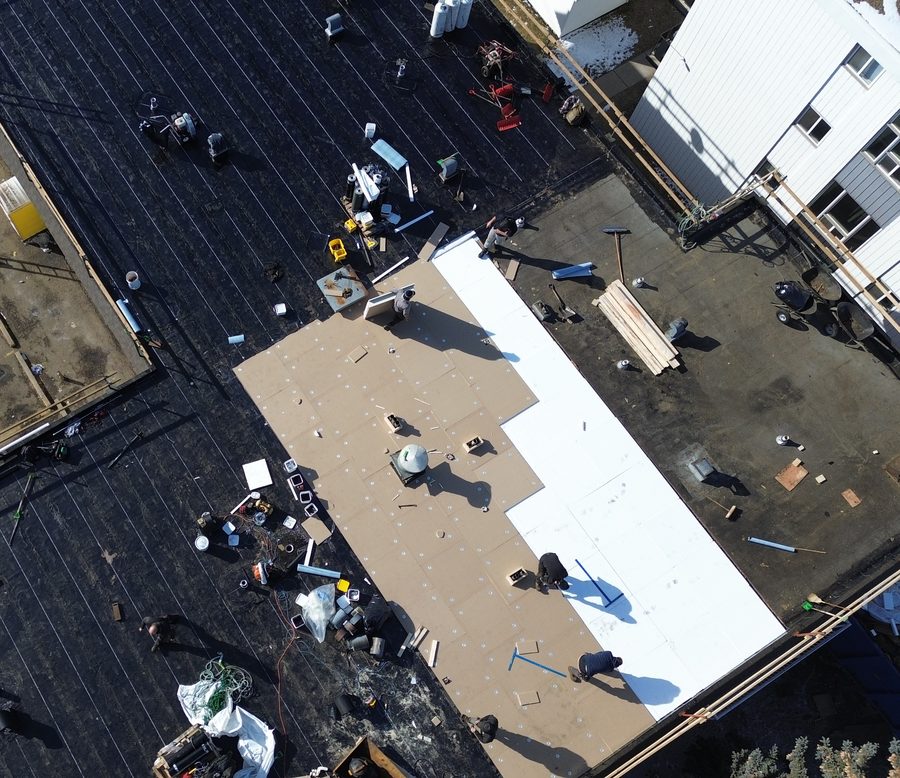
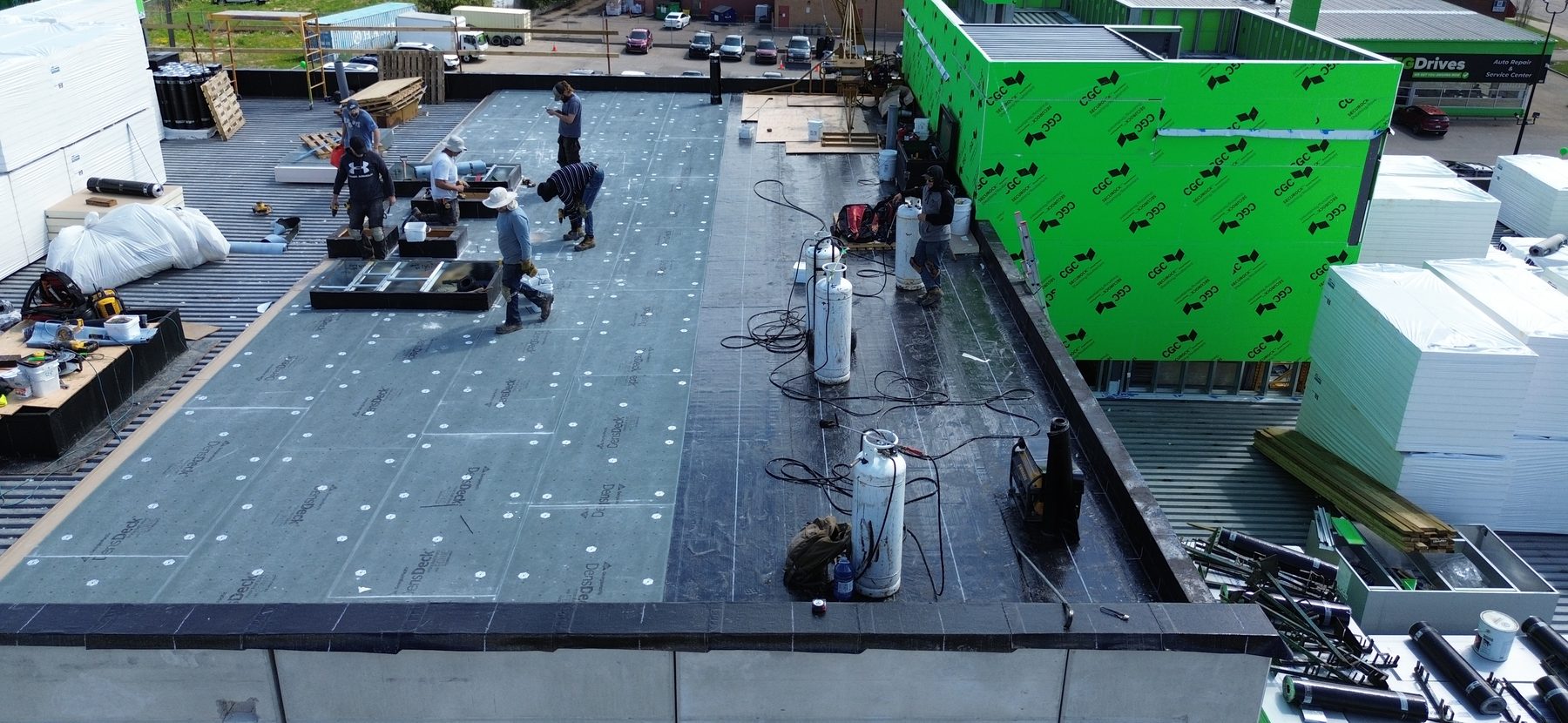
A crew laying cover board on a flat commercial roof, from the air

Built on a real roof

Over 15 years of roofing-specific knowledge, built in.

Roofing first. Siding, insulation and general contracting come next, once it’s proven on real roofs with real crews. Your prices, your customers and your numbers stay yours: no other company sees them.

Make it yours

What do you use every day? What would make life easier?

Tick both lists. The honest answer includes what you should keep.

What you use today

What you’re looking for

Your company on The ForgeEstimate
? tick to find out

Tick what you use today and what you’re looking for.

      Already using The Forge? Sign in